Credit Note Template
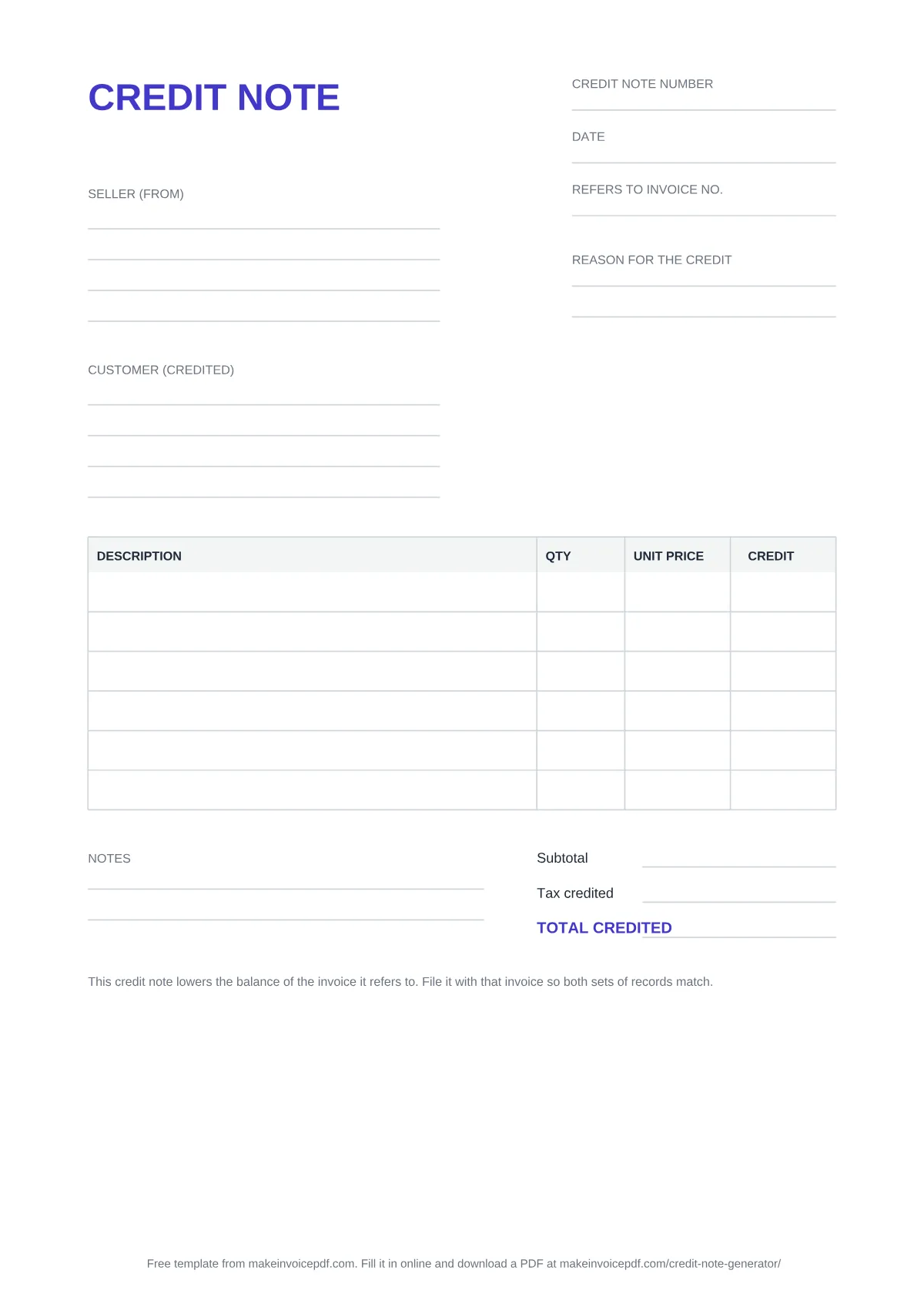
A blank credit note to download as PDF, Word or Excel, or to fill in online and download as a finished PDF.
Filled example: credit-note-sample.pdf
What is on the template
- Credit note number and date: the credit note's own number and the day you issue it.
- Refers to invoice no.: the number of the invoice you are crediting.
- Seller (from) and Customer (credited): the same names and addresses as on that invoice.
- Reason for the credit: a few words, such as "two items returned" or "price corrected".
- Item table: Description, Qty, Unit Price and Credit, one line per item or correction.
- Subtotal, Tax credited and TOTAL CREDITED: the tax on the credited amount, at the rate the invoice used.
- Notes: anything else, for example whether you will pay the money back or keep the credit on account.
When to use a credit note
Use a credit note when a customer owes you less than an invoice says: goods came back, you charged too much, you agreed a discount after the invoice went out, or part of an order was cancelled. The credit note gets its own number and names the invoice it corrects, so you and your customer can match the two. The line at the bottom of the template says the same thing: the credit note lowers the balance of the invoice it refers to, and belongs in the file with that invoice.
How to fill it in
- Open the invoice you are correcting and copy its number into Refers to invoice no.
- Give the credit note its own number and the date you issue it, and write the reason for the credit.
- Add one line for each item or amount you are crediting, with the quantity and unit price.
- Fill in the subtotal, the tax credited and the total. In the Excel file these calculate themselves. Then send the credit note to your customer and keep a copy with the invoice.
PDF, Word or Excel
| Format | Good for | What you get |
|---|---|---|
| Printing and filling in by hand | A4 page with a line for each field and a six-row item table | |
| Word (.docx) | Typing your details and keeping a copy of each credit note | A4 page with a seven-row item table; add rows in Word if you need more |
| Excel (.xlsx) | Letting the sheet do the sums | Ten item rows. Each line is quantity × unit price; the subtotal, the tax at the rate you type (it starts at 0) and the total calculate themselves |
Each file carries one short line saying where the template came from. The PDF and Word pages are A4. For US Letter, fill in the credit note online and choose Letter in the settings.
The filled example
The filled example shows the same template completed: two office chairs returned damaged and a shipping refund, credited against invoice INV-0105, for a total credit of 102.00. The company names and addresses in it are placeholders. Use it to see how much goes into each field before you fill in your own.
Fill it in online instead
The Credit Note Generator has the same fields plus tax numbers for both parties, your logo, a currency and six paper sizes. You see the credit note change as you type and download a finished PDF. Your draft is saved in this browser until you reset it. A one-line "Created free with makeinvoicepdf.com" credit is on by default; one checkbox in the settings turns it off.